Download the app and make an account
Get Trepo from the App Store and create your account. That's the home base for your device.

Charge your device
Plug it in with the cable and charging block from the box, and let it charge for at least an hour before you start.
-
1
Open the app and tap the profile button
In the Trepo app, tap the profile button - here's where to find it.
-
2
Tap "Pair Halo device"
Scroll down to the section called Halo device, then tap Pair Halo device.
-
3
Switch your device on
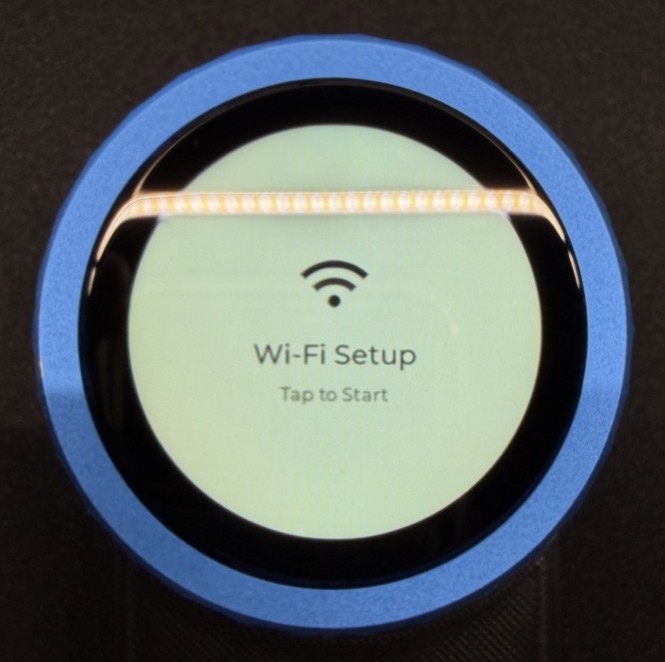
Slide the switch on the device to turn it on. The screen will light up and look like this.
-
4
Tap "Scan QR code," then tap your device's screen
Tap Scan QR code in the app. Then tap your device's screen - it'll show a QR code.
In the app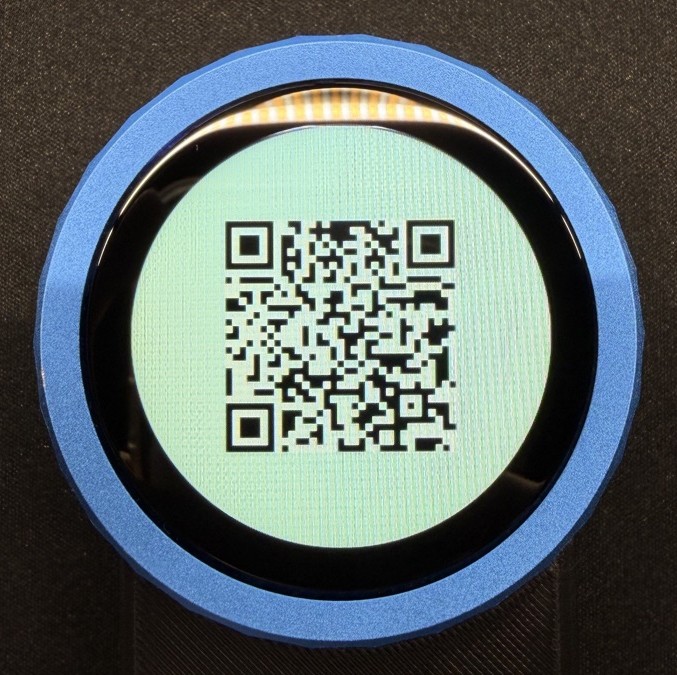 On your device
 -
5
Scan the QR code
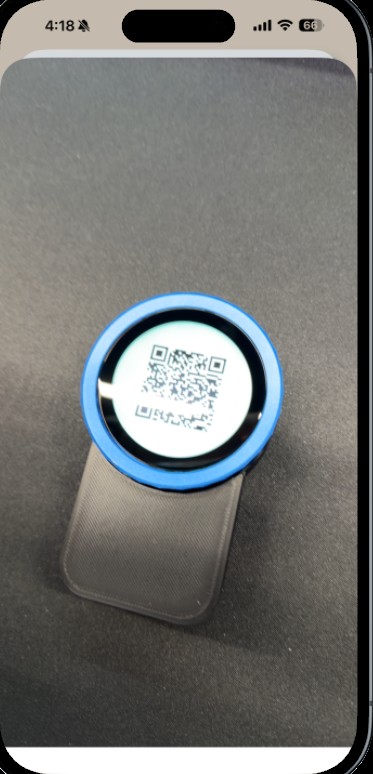
Point your phone at your device's screen to scan the QR code.
-
6
Tap "Join"
Once it's scanned, tap the Join button.
-
7
Pick your home wifi and type the password
Choose your home wifi network and enter the password.
-
8
Wait for it to connect
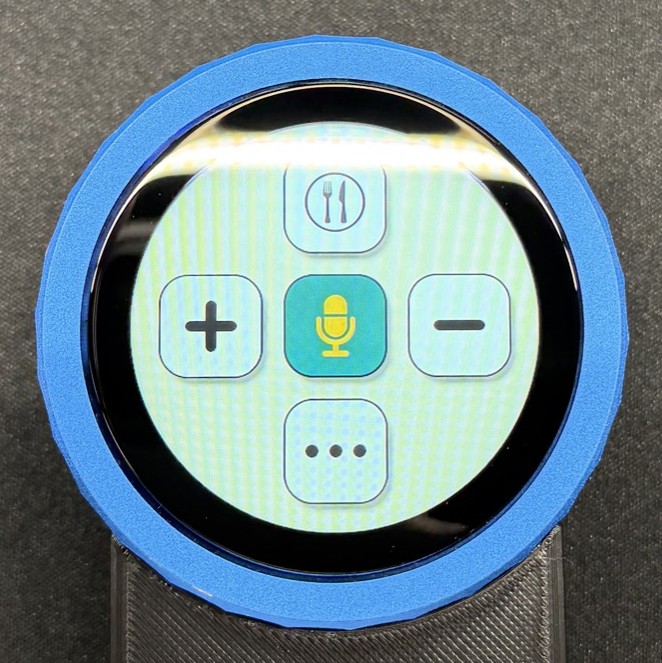
Your device will connect to your wifi - this can take up to a minute. When you see the menu screen below, you're connected and setup is done.
You're all set.
Your device is connected and ready to go. Have a look at How to use it above for the three things you'll do most.
now go put some food in front of it
Check in
- Hold the item label (or your leftovers) up to the device.
- Tap +.
- It'll recognise the item within about 3 seconds.
- You can change the quantity before it goes in.
Discard
- Hold the item label up to the device.
- Tap –.
- It'll recognise the item within about 3 seconds.
- You can send the discarded item straight to your shopping list.
Voice
- Hold the microphone button.
- Say any of these.
- "Add milk to my shopping list"
- "Add cheddar cheese to Trader Joe's in my shopping list"
- "Check in 2 apples to my kitchen"
- "Remove 1 apple from my kitchen"
- "Log bowl of granola and greek yogurt for breakfast"