
Kitchen Assistant
Quick start guide. Everything you need to get it out of the box and onto your wifi - about five minutes.
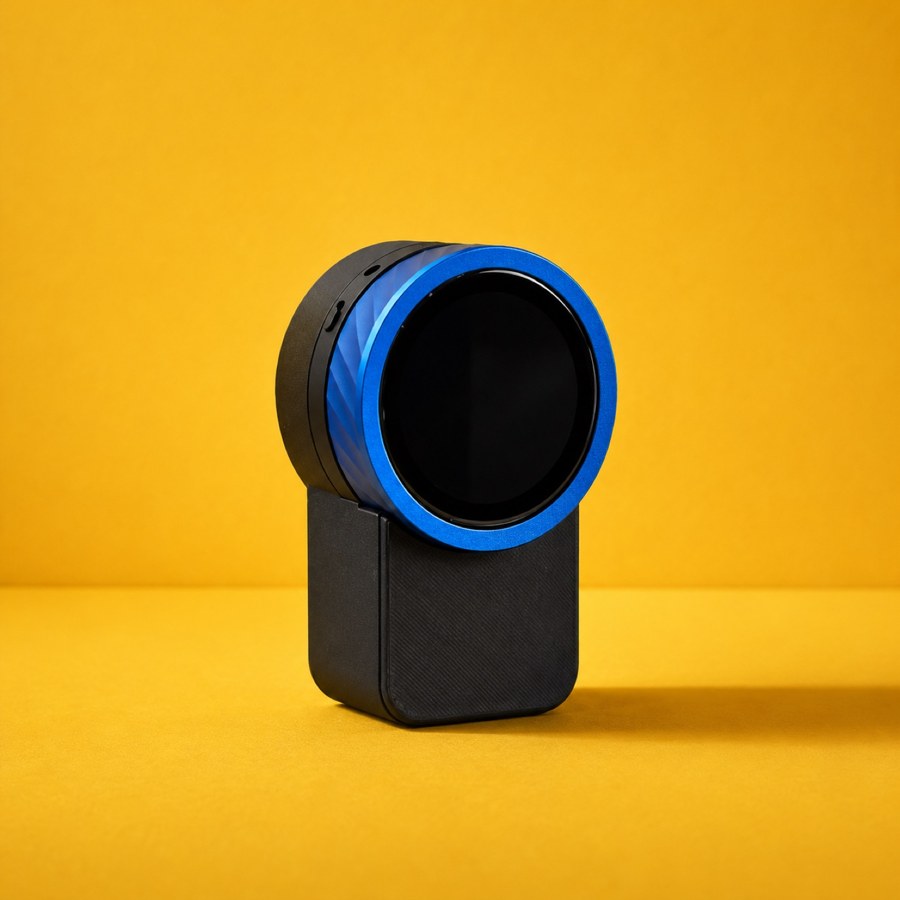
Start on the inside →
Before you begin
1Download the app, make an account
Search for Trepo in the App Store. That's the home base for your device. On Android? Hang tight, your version is coming really soon.

Charge your device
Plug it in with the cable and charging block from the box, and let it charge for at least an hour before you start.
In the box
- The Trepo Kitchen Assistant. A round screen you talk to and hold food up to, and a dial you turn.
- It's magnetic. Sticks straight onto your fridge, or anything else stainless steel or magnetic.
- A countertop stand. If your fridge isn't magnetic, or you'd rather keep it on the counter.
- A USB-C charging cable. Charge it up and it works wirelessly.
Step 7 asks for it. Worth digging out before you start rather than halfway through.
Set it up - 8 steps
2-
1
Open the app, tap the profile button
Top right of the Trepo app.
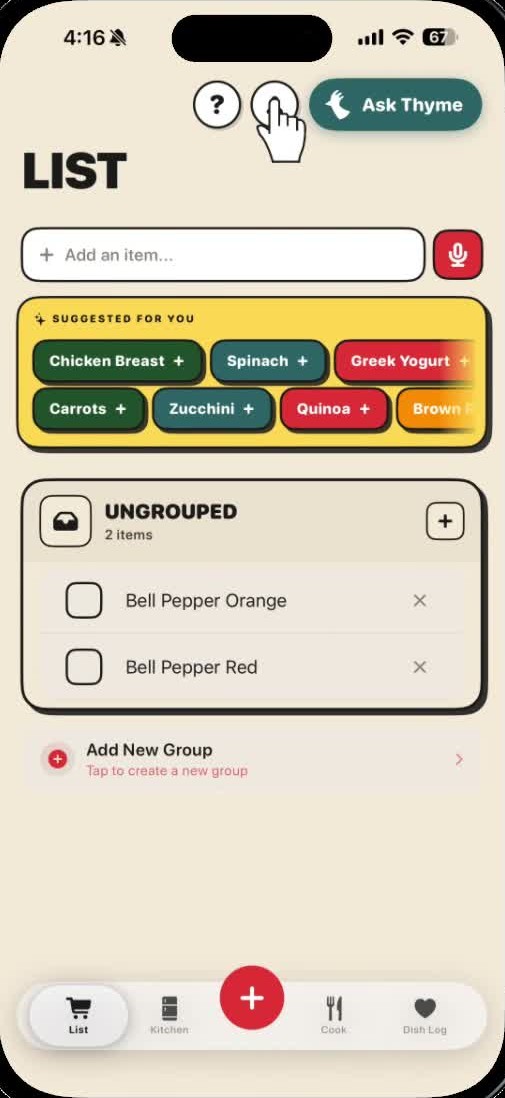
-
2
Tap "Pair Halo device"
Scroll to the section called Halo device.
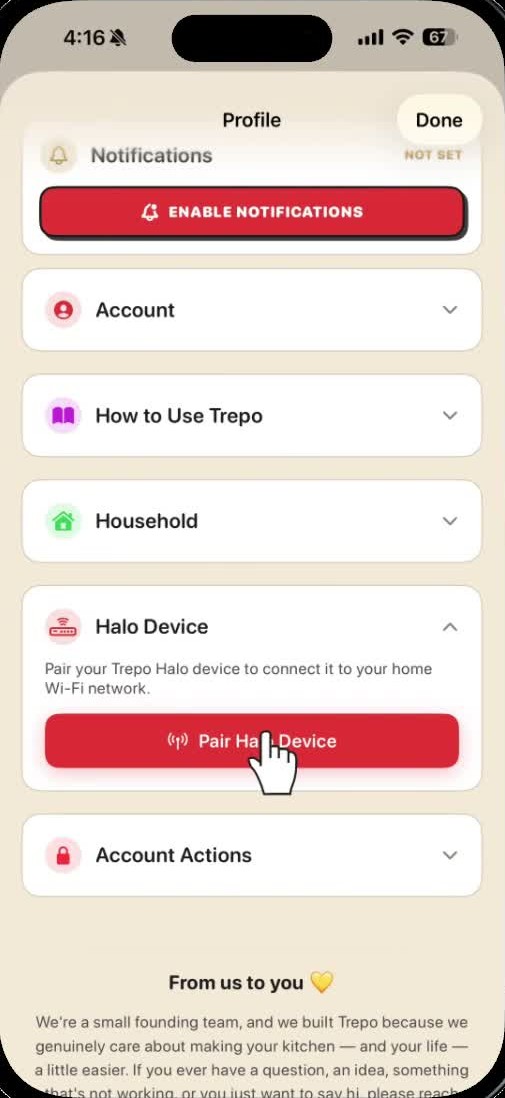
-
3
Switch your device on
Slide the switch. The screen lights up.
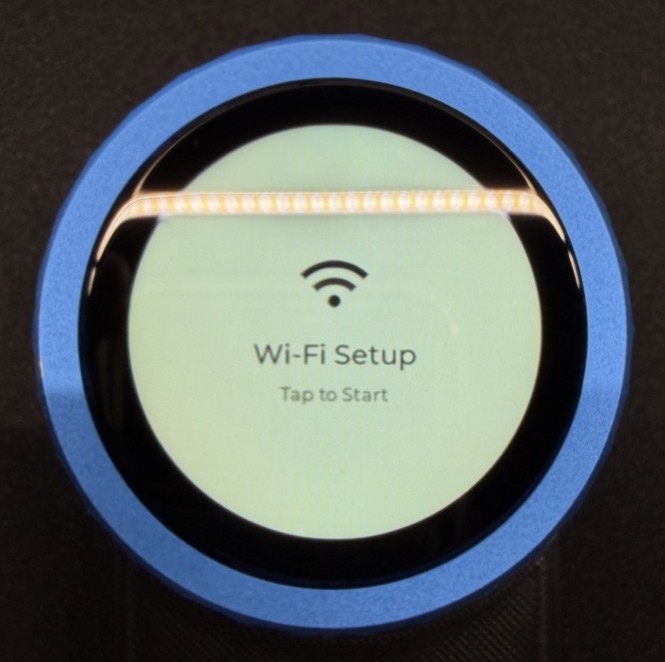
-
4
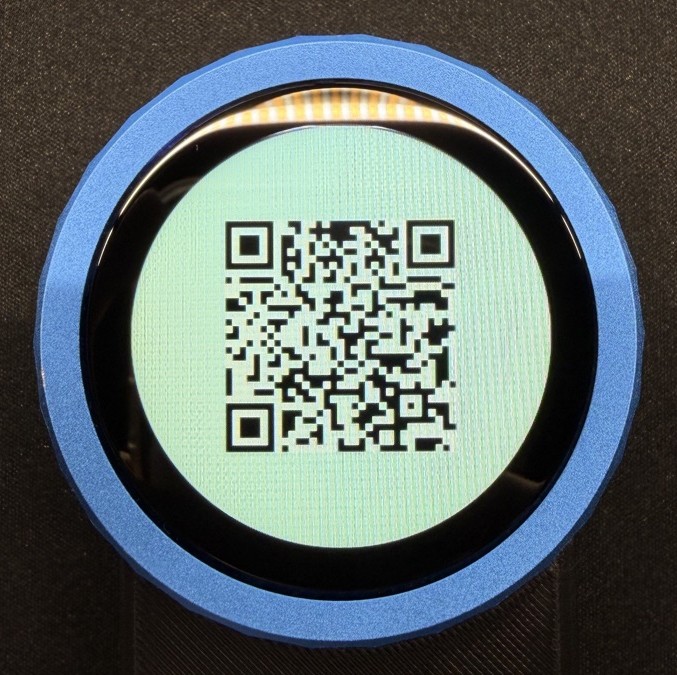
Tap "Scan QR code," then tap the device screen
It shows a QR code.
-
5
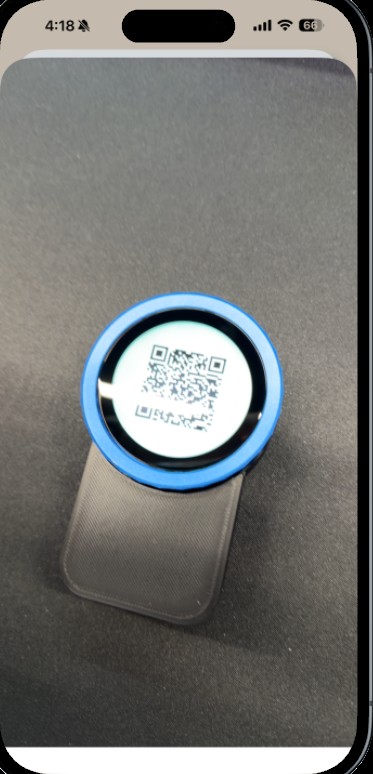
Scan the QR code
Point your phone at the device screen.
-
6
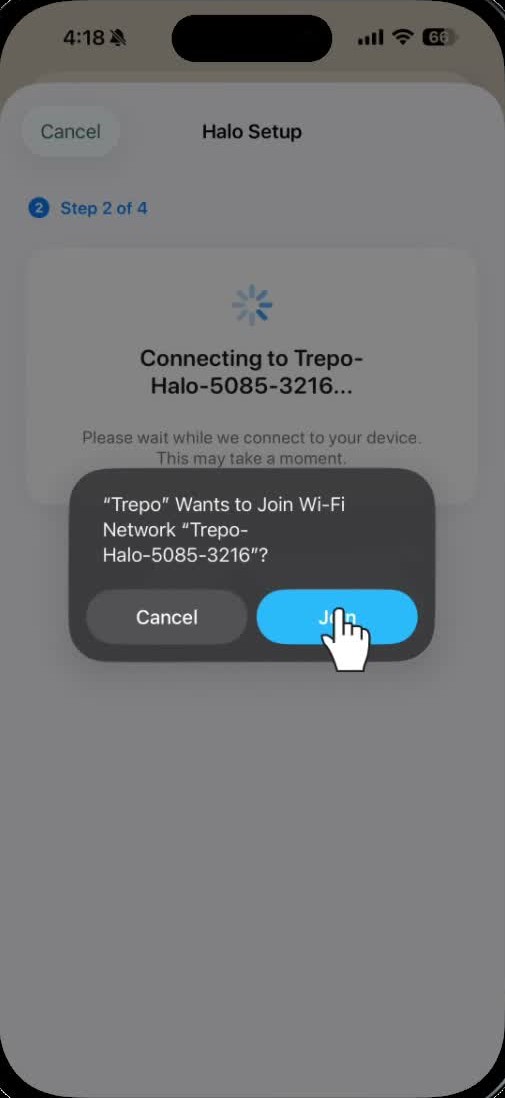
Tap "Join"
Once it's scanned.
-
7
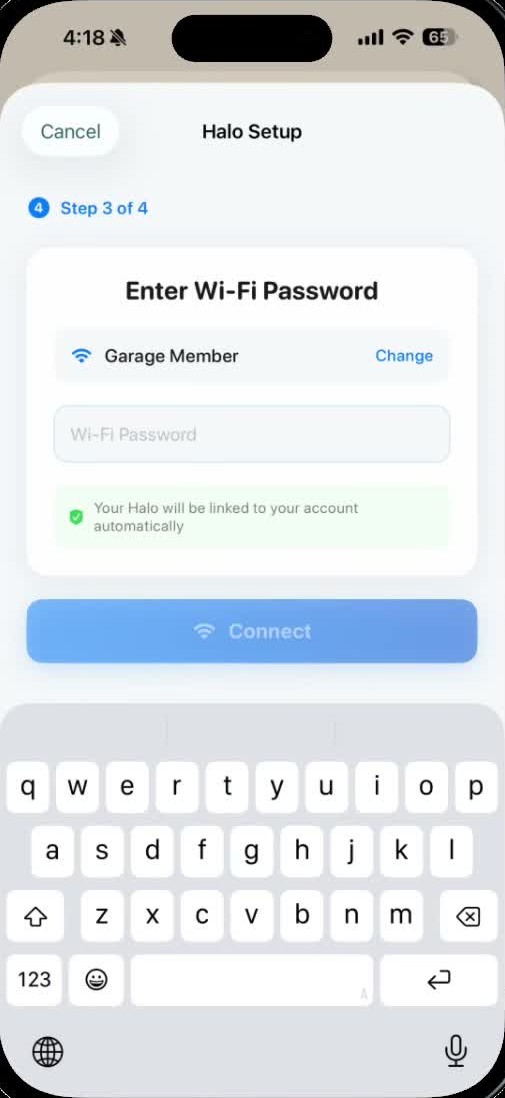
Pick your wifi, type the password
Your home network.
-
8
Wait for it to connect
Up to a minute. Menu screen means done.
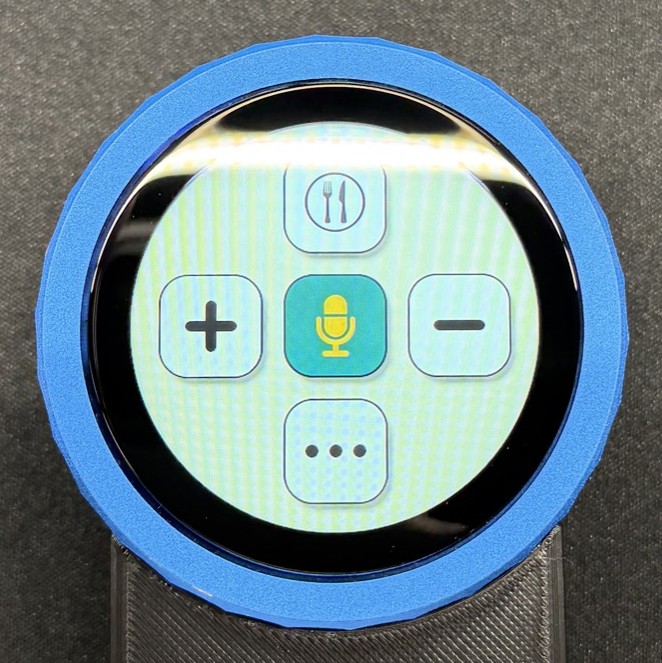
You're all set.
now go put some food in front of it
Once it's set up
- Check something in. Hold the label or the leftovers up, tap +.
- Take something out. Hold it up, tap –.
- Or just say it. Hold the microphone button and talk.
Yes, a real person picks it up and gets back to you.
Full guide, with video and how to use it: hellotrepo.com/setup
© 2026 Trepo